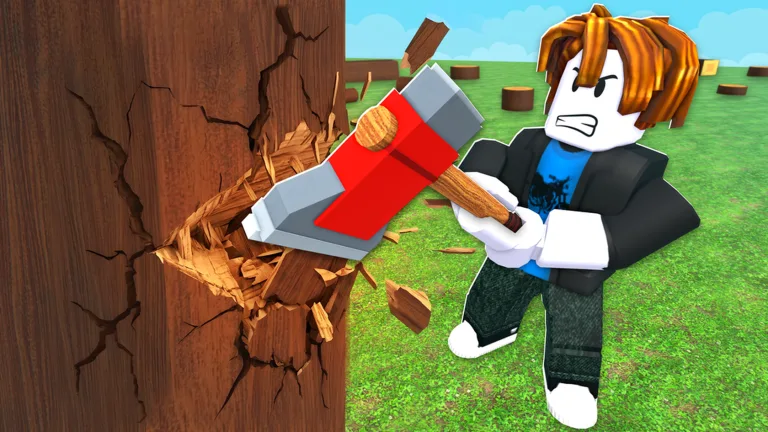
Chop A Forest Best Tools: Ultimate Progression Guide
Discover the chop a forest best tools to maximize your wood cutting speed and coin earnings in Roblox Chop A Forest. Read our expert guide now!
Published: Chop A Forest Wiki Editorial Team
Video Guide
Chop a Forest!....ROBLOXTable of Contents
Introduction to Tool Progression in Chop A Forest
Jumping into Roblox games without a clear gear strategy can slow down your coin-farming efficiency, and knowing the chop a forest best tools is essential for clearing zones quickly. If you want to maximize your wood-cutting output from your very first run, you need to understand how tool upgrades, inventory limits, and sawmill transactions work together. Without the right equipment, you will waste valuable time shuttling tiny wood piles back and forth instead of scaling up your economy.
When you first spawn into the forestry world of Chop A Forest, you are given empty hands and one fundamental task: clear every single tree in sight. According to recent player experience reports, starting with your bare fists is completely normal for the initial tree before you can afford your first proper equipment upgrade. This guide breaks down every gear tier, shop requirement, and strategic upgrade path so you can master the entire 5-zone forest loop efficiently.
The opening minutes of your playthrough set the foundation for your entire resource loop. When evaluating the chop a forest best tools for beginners, your progression starts right at ground zero with manual labor before transitioning to standard shop purchases.
Punch the First Tree: With no tools in your inventory, continuously punch your initial tree until it breaks into collectible log pieces.
Collect Log Chunks: Hold the interaction key to pick up the dropped wood blocks, keeping an eye on your strict early carry limits.
Sell at the Sawmill: Walk your wood load over to the sawmill sell point to convert raw logs into starting Coins.
Purchase the Basic Axe: Save up your initial earnings until you reach the 150 Coin threshold to buy your very first axe upgrade.
To help you visualize how early equipment stacks up against your starting capabilities, the comparison table below outlines the basic gear stats reported by early-session players.
Tool / Item Tier
Cost (Coins / Robux)
Primary Function
Carry Capacity Impact
Bare Fists
Free (Starting)
Felling the very first tree
Holds up to ~5 log pieces
Basic Axe
150 Coins
Cuts standard trees faster than punching
Standard beginner load
Early Backpack
175 - 750 Coins
Expands inventory capacity
Increases holding limit to 10+ pieces
Advanced Tools
Robux / Late Zone
High-speed cutting in later biomes
Required for dense forest areas
Upgrading Gear: Axes, Backpacks, and Tab Menu Mechanics
Once you have secured your first batch of Coins, managing your upgrade path correctly is vital. According to community feedback, players often make the mistake of trying to buy advanced upgrades out of order, only to be blocked by the game's strict progression system. You must purchase upgrades sequentially through the Tab menu.
Tip
Always double-check your selections inside the Tab menu before spending your hard-earned Coins, as community reports show that accidental misclicks on wrong stat upgrades can temporarily stall your economic momentum.
Backpack upgrades are just as important as your cutting tool. Because starting carry limits are restricted to a handful of blocks, investing early Coins into backpack capacity (such as the 175 and 750 Coin upgrades) allows you to haul significantly larger loads in a single trip. This drastically reduces travel time between dense forest clusters and the central sawmill.
Zone Progression and Advanced Gear Requirements
Chop A Forest is structured around 5 distinct forest zones, and you cannot simply skip ahead to high-tier biomes whenever you want. Each zone acts as a gating mechanism where players must completely clear every standing tree before the path to the next stage opens.
Warning
According to player experience, attempting to bypass your current active zone to explore fresh biomes will result in progression blocks stating that you must finish the current area first.
At the end of each zone, a challenging boss awaits players who have successfully cleared the terrain. Defeating these zone bosses and pushing toward the chop a forest best tools requires balancing your strength stats, movement speed, and tool tiers. While early tools are purchased with in-game Coins, later equipment options like advanced saws and chainsaws often require Robux purchases, making efficient coin management in early zones even more critical for free-to-play progression.
To learn more about platform updates and official game details, check out the official Roblox Game Page to track developer updates from WCT Capital.
Frequently Asked Questions
What are the chop a forest best tools for beginners?
For absolute beginners, your bare fists are the starting tool for the very first tree. Your immediate goal should be saving 150 Coins to purchase the basic axe, which dramatically increases your tree-cutting speed.
Can I skip zones to get better tools faster?
No. Community reports confirm that you must completely clear all trees in your current zone before the game unlocks the next biome and allows you to progress further.
How do I increase how much wood I can carry?
You can increase your inventory limit by opening the Tab menu and purchasing backpack upgrades using Coins. Early upgrades cost around 175 and 750 Coins, raising your capacity from a few chunks to ten or more pieces at once.
Do advanced tools cost Robux?
While early gear like the basic axe is purchased using in-game Coins earned from the sawmill, later high-end equipment such as chainsaws may require Robux purchases in the shop.