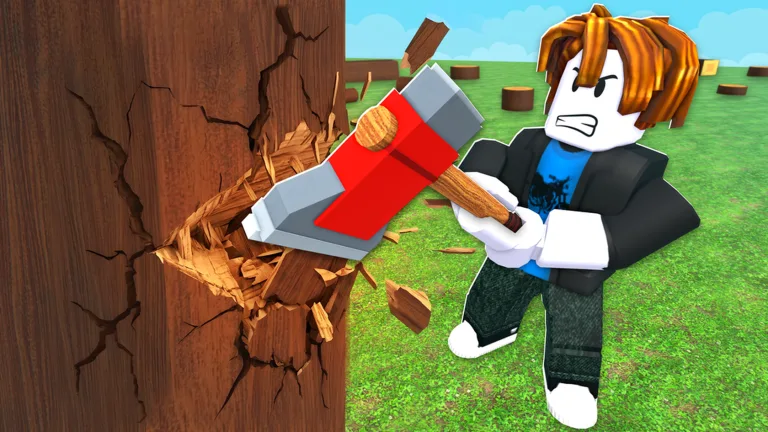
Chop A Forest How to Upgrade: Essential Tools & Stats Guide
Learn chop a forest how to upgrade your tools, stats, and gear efficiently. Discover the best progression order for maximum coin earnings.
Published: Chop A Forest Wiki Editorial Team
Table of Contents
Mastering Your Progression in Chop A Forest
Jumping into a new Roblox experience can feel overwhelming when you are unsure where to spend your hard-earned currency. If you are wondering about chop a forest how to upgrade your equipment and character stats, you are not alone. Having a structured purchasing roadmap ensures you never waste coins on dead-end items, letting you scale your lumber empire faster.
According to player experience and community reports, the core gameplay loop relies entirely on chopping trees, selling logs, and reinvesting profits. To get the most out of your session, you need to understand how the shop system interacts with your character stats. Let's break down the optimal path for upgrading your tools and maximizing efficiency.
When you first spawn into the world, you start completely empty-handed, forced to punch trees manually for raw logs. According to community feedback, your very first milestone is saving up 150 coins to purchase the basic axe from the tool shop. The difference in chopping speed is immediately noticeable compared to using your fists.
Once you secure your first chopping implement, your spending priorities shift from physical tools to character statistics. Pressing the Tab key opens up a dedicated upgrades menu featuring various repeatable stat tracks.
Collect and sell initial logs until you reach 150 coins.
Purchase the standard axe from the tool shop for a massive boost in chopping speed.
Open the Tab upgrade menu and begin investing in core character stats sequentially.
Keep your backpack capacity upgraded ahead of your chopping speed to prevent inventory overflow.
Purchase Item
Cost / Requirement
Primary Benefit
Basic Axe
150 Coins
Drastically increases tree-cutting speed over punching
First Backpack Tier
175 Coins
Expands carrying capacity from 5 to 10 log pieces
Car
500 Coins
Allows bulk transport and selling of up to 50 logs
Cutting Radius Upgrade
1,000 Coins
Enlarges the area of effect for your resource gathering
Understanding Stat Upgrades Versus Tool Purchases
One of the most common stumbling blocks for newcomers is mixing up how tool enhancement works. Unlike games where you constantly buy entirely new variants of axes, this experience utilizes a repeatable leveling system.
Inside the Tab menu, you can upgrade stats like grasp, walk speed, axe speed, damage, sharpness, and cutting radius. Community reports indicate that players frequently push movement speed up to level six and grasp levels three through five during a single extended session. A vital rule of thumb noted by active players is sequential progression: you must purchase upgrades in order, meaning you cannot skip ahead to higher tiers without clearing the previous prerequisites.
Tip
Always check your current inventory bottlenecks before buying upgrades. If your backpack fills up too quickly, prioritize storage tiers before investing heavily in raw chopping speed.
Mid-Game Economy: What to Save For Next
As you progress past the introductory phase, major investments become necessary to keep your coin income flowing. Carrying capacity dictates your efficiency; carrying only five logs by hand severely limits profits.
The first backpack tier costs 175 coins and doubles your limit to 10 items. Later tiers, such as the 750-coin bag, bridge the gap toward massive endgame upgrades. Vehicles completely alter this math. According to community reports, purchasing the 500-coin car lets you transport up to 50 logs in a single bulk run, drastically cutting down travel time to the sell point.
Mid-Game Saving Targets
Plan your savings around high-value utilities. Save 1,000 coins for the cutting radius upgrade, 2,500 coins for dynamite, and 15,000 coins for the large-capacity bag to eliminate inventory restrictions entirely.
Upgrade Tier
Observed Cost
Strategic Purpose
Backpack Tier 2
750 Coins
Increases log storage to streamline mid-game runs
Cutting Radius
1,000 Coins
Hits multiple targets or larger swaths of foliage
Dynamite
2,500 Coins
Clears clustered trees efficiently without timers
Large Bag
15,000 Coins
Ultimate storage solution for endgame operations
Avoiding Traps and Planning for the Endgame
When learning chop a forest how to upgrade, you should also know which items require caution. Certain advanced equipment like chainsaws and vacuums have occasionally appeared as short-term trials or Robux listings rather than permanent coin purchases. Players advise saving your hard-earned coins for reliable, permanent unlocks rather than temporary trial gear.
Furthermore, progression is strictly gated by biome completion. As noted in community reports, the next shop tier only unlocks after you completely clear the current forest area. For official game access, updates, and community hubs, check out the Chop A Forest Roblox Page to dive straight into the action.
Warning
Avoid spending coins on time-limited trial items unless you are certain they offer permanent ownership, as standard progression relies entirely on permanent tools and stat increases.
Frequently Asked Questions
What should I buy first when starting Chop A Forest?
You should always save your initial earnings to buy the 150-coin axe from the tool shop. Manual punching is far too slow for sustainable coin generation.
How do I access stat upgrades?
Press the Tab key on your keyboard to open the upgrades menu. Here, you can spend coins sequentially on stats like walk speed, axe speed, damage, and grasp.
Are chainsaws available for purchase with coins?
Community reports indicate that chainsaws and vacuums typically appear as Robux listings or short-term trials rather than permanent coin unlocks, so it is best to focus your coins on standard tools, vehicles, and dynamite.
How can I carry more logs at once?
Purchase backpack capacity upgrades from the shop, starting at 175 coins for the first tier, or invest in vehicles like the 500-coin car to haul dozens of logs simultaneously.