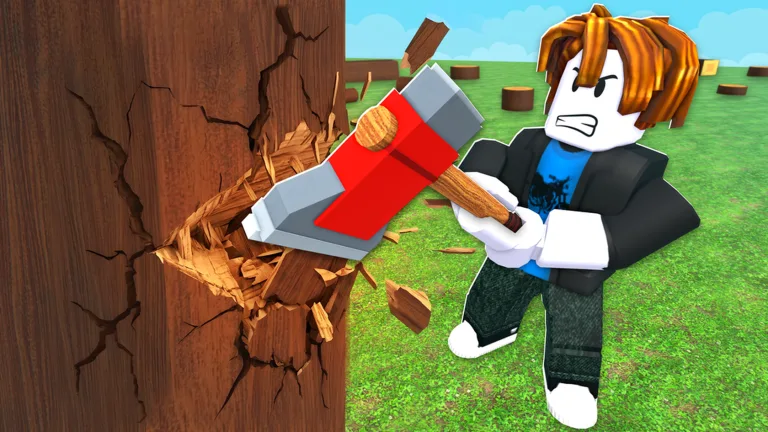
Chop A Forest Why Tool Upgrades Are Locked Revealed
Discover why chop a forest why tool upgrades are locked in Roblox. Learn how to unlock the axe, chainsaw, and gear enhancements easily today.
Published: Chop A Forest Wiki Editorial Team
Table of Contents
Understanding Tool Restrictions in Your Roblox Run
Have you ever wondered why chop a forest why tool upgrades are locked right when you desperately need faster wood gathering? Navigating the progression system in this popular Roblox experience can sometimes feel confusing, especially when your upgrade tabs display frustrating lock icons. Knowing why chop a forest why tool upgrades are locked helps you save precious run cash and map out your chopping strategy much more effectively.
In Roblox experiences featuring wood-cutting mechanics, locking mechanics serve as a clear progression gate to balance gameplay. Players frequently run into roadblocks when trying to level up stats for gear they do not actually own yet. This guide breaks down the exact prerequisites, shop locations, and purchasing steps required to get your equipment running at peak performance.
Tip
Always verify your current in-game cash balance and read the specific tool requirement card before opening your perk menu.
One of the most common reasons players get stuck is confusing the physical tool purchase location with the general interface buttons. According to community reports, the actual hardware must be acquired inside the game world.
Locate the wooden TOOL SHOP cabin during your active run.
Step inside and approach the specific tool display mounted on the wall.
Interact with the prompt (such as pressing E on desktop) to view pricing details.
Purchase the base equipment using run cash before returning to the upgrade menu.
Shop Type
Location
Primary Function
Tool Shop Cabin
Inside the active game map
Buy base equipment like the Axe
General Shop Menu
Right-side interface button (R)
Manage perks, boosts, and settings
Why Upgrade Cards Show Lock Icons
When you open your upgrade menu using Tab, you might notice that certain tabs like the Chainsaw Cut Speed display an explicit padlock. According to player experience, the game explicitly requires you to buy the Chainsaw at the Tool Shop first to unlock these specific upgrades. Buying the underlying tool always comes before its corresponding enhancements.
Upgrade Category
Prerequisite Condition
Observed Benefit
Axe Sharpness
Must own the Axe base tool
Cuts trees down faster
Chainsaw Cut Speed
Must purchase Chainsaw at cabin
Drastically increases chainsaw output
Hands Speed
None (starting capability)
Punches and gathers initial items faster
Gear Walk Speed
None
Reduces travel time across the forest
Players should also note that placeholders for advanced gear like the Clawman and Vacuum appear in the interface, but early footage often lacks finalized pricing or stats. For players seeking a broader gaming perspective, you can check out resources like the Roblox Official Website to stay updated on platform-wide updates and security features.
Temporary Trials and Special Equipment Rules
Beyond standard upgrades, the game offers temporary paid options and special modifiers that manage ownership differently. Based on community feedback, temporary items require careful reading of on-screen purchase prompts.
Trial Saw
A temporary paid trial option that gives you short-term access to advanced cutting power. Always check the live Roblox purchase prompt for exact duration and pricing details.
Rainbowmaker
A special modifier that transforms chopped trees into rainbow logs yielding x4 value. Player experience confirms this item is restricted to your current game session and must be repurchased next round.
Efficient Resource Hauling and Upgrades
Once your base tools are unlocked, managing your collected logs becomes the next priority. According to community guides from creators like NoobBlox, utilizing transport vehicles greatly accelerates your progression.
Cut down a dense group of trees in a single designated area.
Collect the scattered logs together into a tight pile.
Load your logs into a transport vehicle, such as the Rusty Truck, which holds up to 50 logs.
Haul the inventory back to the chipper for quick processing.
Warning
Do not spend your run cash blindly on high-tier upgrades without verifying that your current level and base equipment support the purchase.
Frequently Asked Questions
Why are my tool upgrades locked in Chop A Forest?
Tool upgrades remain locked primarily because you have not yet purchased the required base tool, such as the Axe or Chainsaw, from the physical wooden cabin within the game map.
Where do I buy the base Axe in Chop A Forest?
You must find the wooden TOOL SHOP cabin during your active run, go inside, and purchase the Axe directly from the wall display using run cash.
Do temporary trial tools stay with me forever?
No. Temporary trials like the Trial Saw and session-based modifiers like the Rainbowmaker only persist for a limited time or for your current game session.
How do I open the upgrade menu?
You can open the upgrade interface by pressing the Tab key on your keyboard during your active run to check your current stats and available perks.